
Download Windows 8 UX Pack – Windows 7 customization, Windows 8 theme, Windows 8 aesthetics, Windows 8 interface
Overview
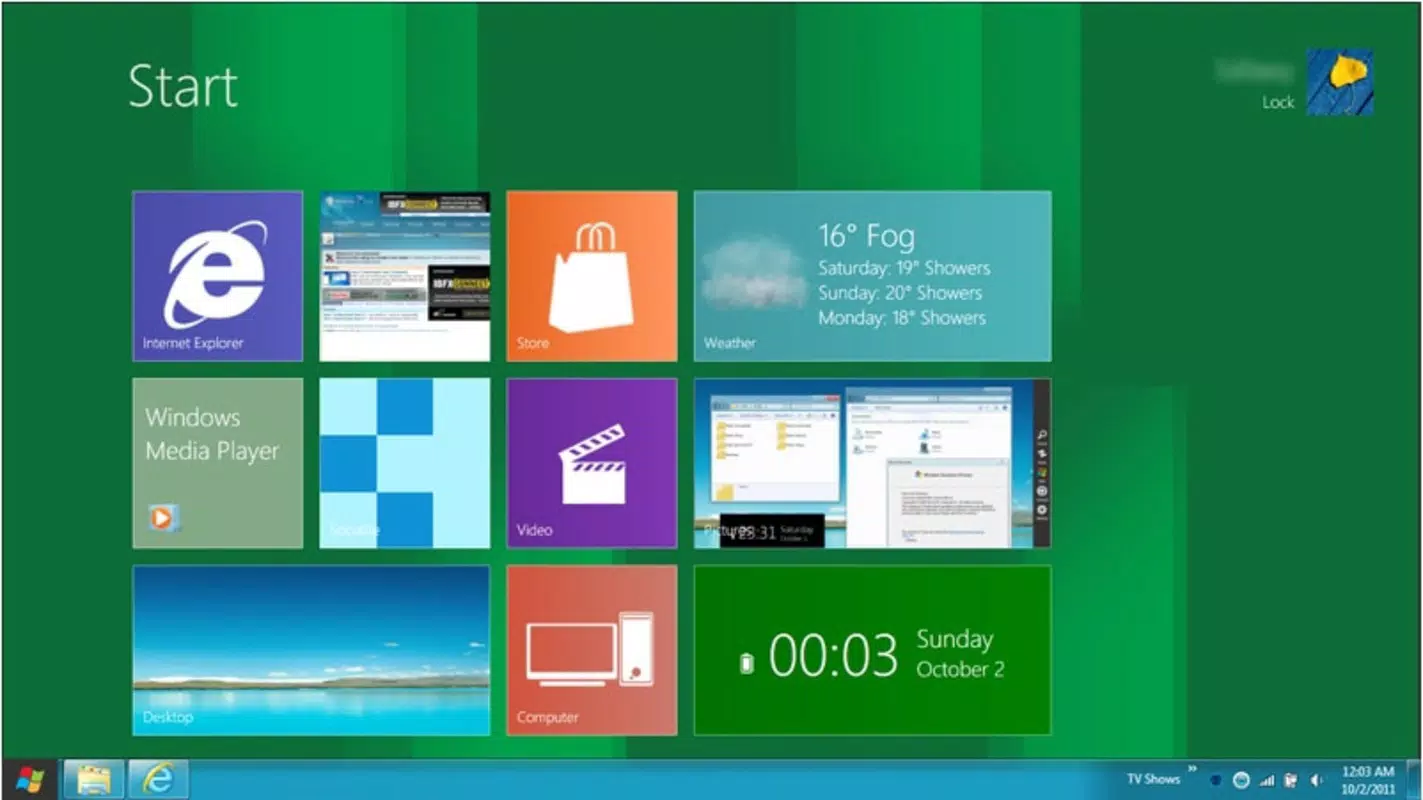
The Windows 8 UX Pack is a specialized utility designed for users of Windows 7 who wish to experience the modern visual language and interface elements of Windows 8 without upgrading their operating system. This tool bridges the aesthetic gap between the two platforms by introducing key design features such as Metro-inspired themes, updated taskbar behavior, and curated wallpapers. It serves as a lightweight customization solution for individuals seeking a fresh, contemporary desktop environment while maintaining the stability and compatibility of their existing Windows 7 setup.
Target users include long-time Windows 7 users who appreciate the familiarity of their system but are drawn to the sleek, minimalist design of Windows 8. The app is particularly useful for those who want to modernize their workspace for productivity, personal expression, or professional presentation. By enabling visual customization without altering core system functions, the Windows 8 UX Pack allows users to experiment with a new interface style in a reversible and low-risk manner.
Developed by Jason K. Menard, the tool reflects a focused effort to deliver a clean, functional experience. Although the developer did not provide additional technical details about the project’s scope or future development plans, the release date of December 16, 2011, suggests this was an early initiative in the post-Windows 7 customization space. Its continued relevance highlights the enduring appeal of interface modernization tools in the desktop ecosystem.
Key Features & Functionality
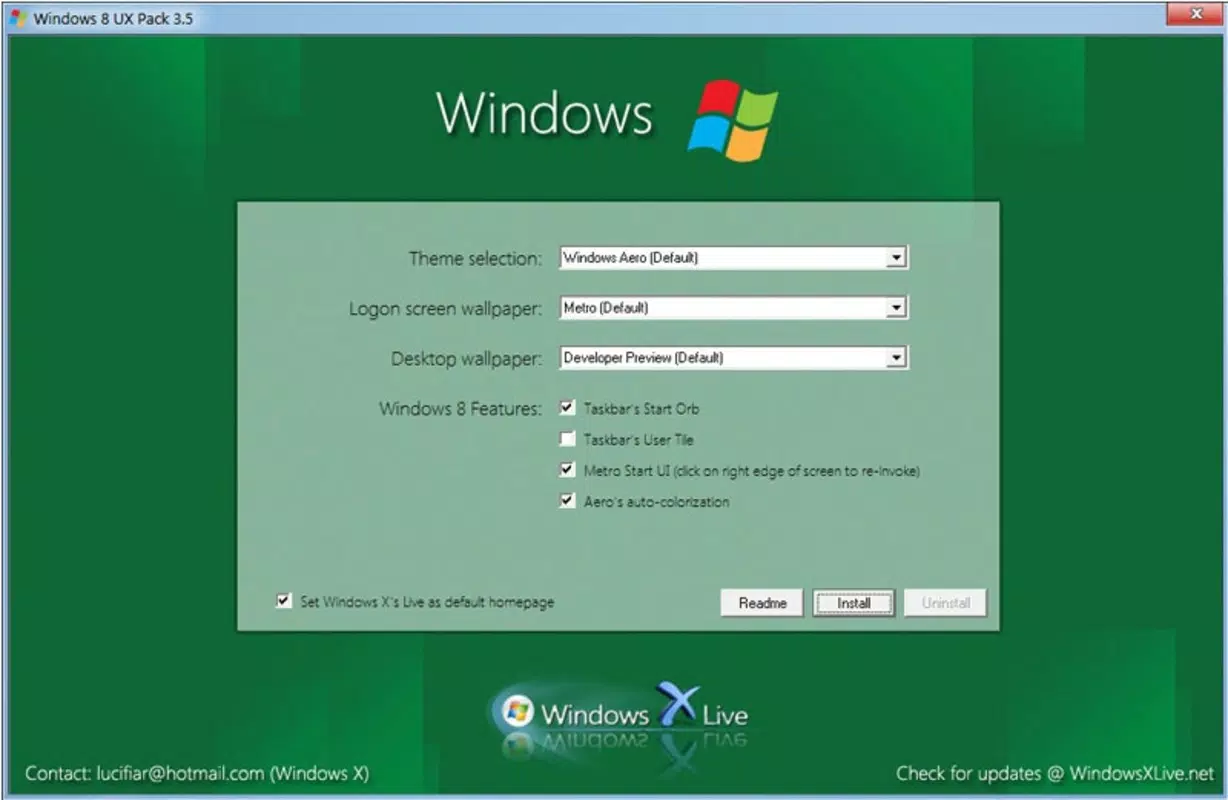
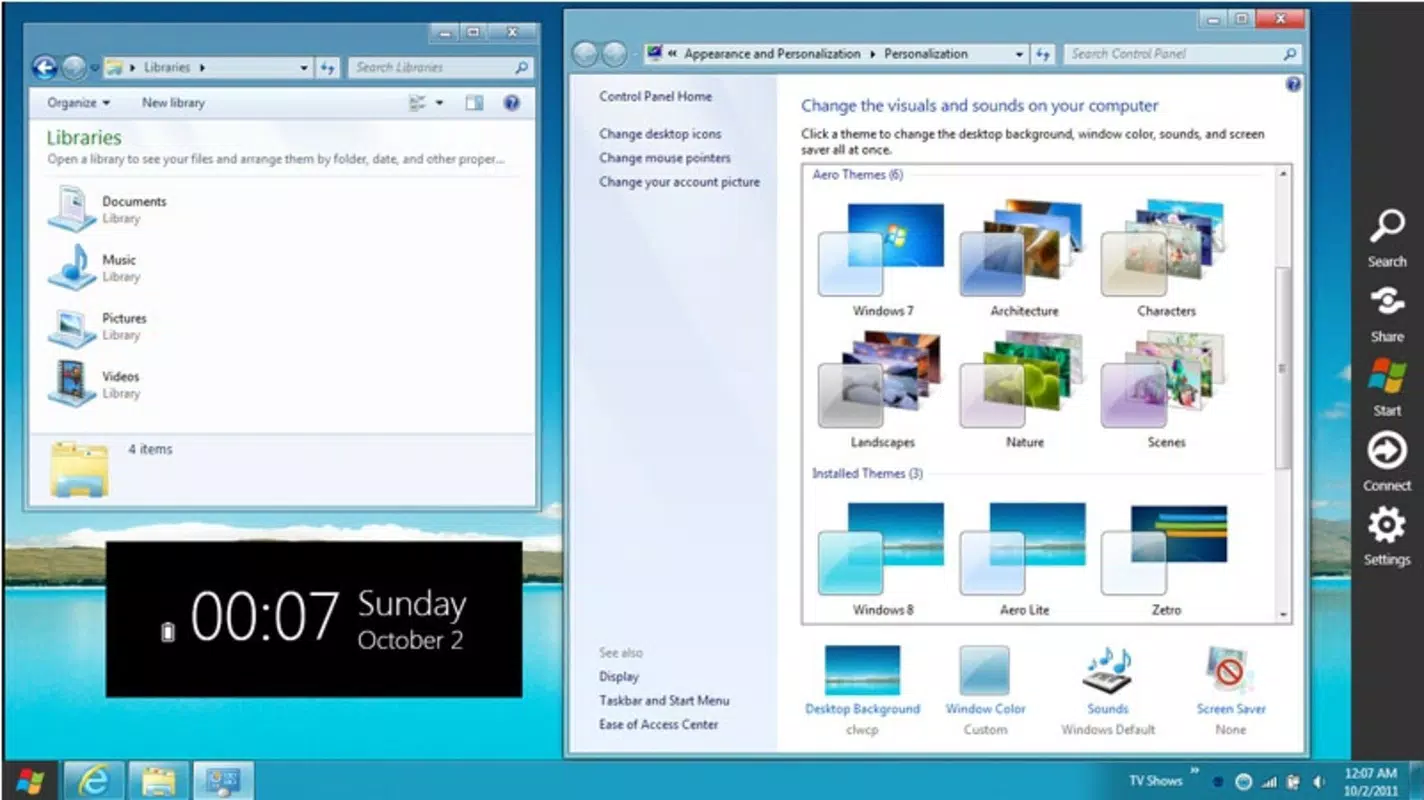
- Customizable Themes: Users can switch between multiple visual themes, including Aero Lite and Metro-inspired designs, to achieve a Windows 8-like appearance. This flexibility allows for personalization based on aesthetic preference and usage context.
- Home Screen Wallpaper: A curated selection of high-quality wallpapers enhances the visual immersion in the Windows 8 experience. These wallpapers are optimized to complement the new interface style and improve desktop aesthetics.
- Taskbar Options: The tool enables users to modify taskbar behavior, such as enabling or disabling specific features, allowing for a streamlined and efficient workspace tailored to individual workflows.
- Simple Installation Process: With minimal setup steps, users can apply the UX pack in minutes. The intuitive interface ensures accessibility for both novice and experienced users, eliminating the need for technical expertise.
- Easy Uninstallation: If the new interface does not meet expectations, users can revert changes quickly and safely. The uninstallation process restores original Windows 7 settings, ensuring a risk-free trial.
For example, a user preparing a presentation might use the Metro theme and a vibrant wallpaper to create a visually cohesive and modern workspace. Similarly, a home user seeking a more contemporary look could apply the Aero Lite theme for a balanced blend of style and performance. The ability to toggle features on and off gives users full control over their experience.
Interface, UX & Performance
The Windows 8 UX Pack features a clean, minimal interface designed to guide users through customization with clarity and ease. Navigation is linear and intuitive, with clearly labeled options for theme selection, wallpaper application, and taskbar configuration. The layout avoids clutter, focusing on essential functions without overwhelming the user.
Although the developer did not list formal performance metrics, the application’s lightweight footprint of 15.2 MB suggests efficient resource usage. It is designed to operate smoothly on standard Windows 7 systems, with minimal impact on startup time or system responsiveness. Users can expect stable operation during theme application and system changes, with no reported conflicts with core OS functions.
Responsiveness is maintained across different device categories, including desktops and laptops, as the tool does not rely on advanced hardware features. The user experience remains consistent whether using a high-end machine or a basic configuration. Stability is reinforced by the reversible nature of changes, ensuring that any unintended effects can be undone without data loss or system damage.
Platform Compatibility & Technical Requirements
The Windows 8 UX Pack is designed for the Windows operating system, specifically targeting users of Windows 7. It is compatible with the Windows platform and requires no additional software dependencies for installation or operation. The application size is 15.2 MB, making it a compact utility suitable for systems with limited storage capacity.
The software version is 1.0, indicating a stable initial release. The developer did not specify minimum OS requirements or compatibility with newer Windows versions. As such, users should verify system compatibility before installation, especially on updated or modified Windows 7 configurations. The absence of detailed technical specifications means that users should proceed with caution on non-standard setups.
Pros and Cons
Pros
- Offers a modern, visually appealing interface inspired by Windows 8
- Simple and fast installation process with minimal user effort
- Full reversibility through easy uninstallation
- Lightweight design with low system resource consumption
- Supports customization of themes, wallpapers, and taskbar behavior
Cons
- Specific system requirements were not listed
- Compatibility with newer Windows 7 updates or configurations is uncertain
- No official update history or future development roadmap provided
- Limited to Windows 7 users; not available for other platforms
- Does not include full Windows 8 Start Screen functionality
FAQ
Is the Windows 8 UX Pack safe to install?
The tool is free and designed for Windows 7 systems. It does not require administrative privileges for basic use, and its reversible nature ensures no permanent changes to the operating system.
Can I use this on Windows 10 or Windows 11?
The developer did not provide information about compatibility with Windows 10 or Windows 11. Based on its design, it is intended for Windows 7 and may not function properly on newer systems.
How do I uninstall the Windows 8 UX Pack?
Uninstallation is straightforward and can be performed through the standard Windows control panel. The process restores original system settings without leaving residual files or configuration issues.
Does this tool affect system performance?
Given its file size of 15.2 MB and focus on visual customization, the tool has minimal impact on system performance. It does not run in the background or consume significant CPU or memory resources.
Is the Windows 8 UX Pack free to download?
Yes, the application is available at no cost. There are no in-app purchases, subscriptions, or hidden fees associated with its use.
Final Thoughts
The Windows 8 UX Pack delivers a focused, effective solution for Windows 7 users seeking to modernize their desktop environment. While it does not replicate the full Windows 8 experience, it successfully introduces key visual elements such as Metro-inspired themes, updated taskbar options, and high-quality wallpapers. Its ease of use, lightweight design, and reversible changes make it a low-risk way to experiment with a new interface style.
For users who value aesthetics, personalization, and a clean desktop experience, this tool remains a relevant option even years after its release. It is particularly beneficial for those who prefer the Windows 7 environment but wish to adopt a more contemporary look. The combination of visual appeal and functional simplicity provides real value in the utility category.
Download Windows 8 UX Pack now


